Eesmärgist väärtuseni - Odoo ERP juurutamine Eesti ettevõtetele
Aitame kasvavatel Eesti ettevõtetel Odoo ERP-süsteemi õigesti juurutada — äriprotsessidest lähtudes, meeskonda kaasates ja tulemust silmas pidades. Selge algus, selge tulemus.
Vaata lähemaltMis on ERP ja miks sinu ettevõte seda vajab?
Kui otsid viise, kuidas muuta oma ettevõtte töö sujuvamaks, hoida kokku väärtuslikku aega ja kasvatada tulu, on ERP-süsteem just see õige tööriist.
ERP ehk ettevõtte ressursside planeerimine on sinu ettevõtte digitaalne süda, mis liidab müügi, lao, raamatupidamise ja muud võtmeprotsessid üheks reaalajas toimivaks tervikuks. Kaotades vajaduse segaste Exceli tabelite ja korduvate käsitsi tegevuste järele, vähendab süsteem inimlikke vigu ja rutiini. Selge, andmetepõhine ülevaade igast äriprotsessist võimaldab sul teha kiireid, kaalutletud otsuseid ja luua tugeva vundamendi ettevõtte efektiivseks ja kontrollitud kasvuks.
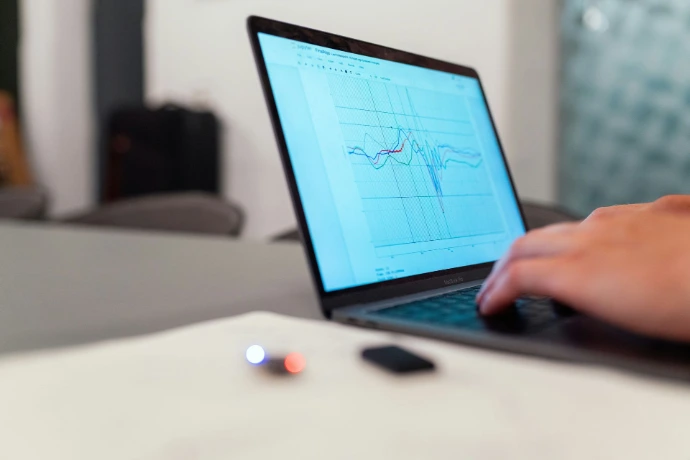

ERP ei ole vaid tarkvaraprojekt
Enamik ERP-projekte ei jää toppama tehniliste küsimuste taha. Terviklik 72 eduteguri analüüs näitab, et otsustav osa on organisatsiooniline — juhtimine, protsessid ja inimeste kaasamine. Just sellele me keskendume.
Loe meie lähenemisest →
Mida ERP sinu ettevõttele annab?
Vähem käsitööd, vähem laialipillatud Exceleid, rohkem selgust, kiiremad otsused ja rohkem väärtust väiksema pingutusega. Odoo aitab meeskonnal targemini töötada ja annab juhile reaalajas ülevaate kogu ettevõtte protsessidest kliendihaldusest, müügist, laovarude vajadustest kuni finantsideni.
Tutvu Odooga
ERP juurutamine
Juurutame Odoo algusest lõpuni — ärianalüüsist koolituseni. Sina saad süsteemi, mis vastab sinu protsessidele, mitte vastupidi.
Loe lähemalt
Peakasutajateenus
Sinu Odoo peakasutaja teenusena: koolitus, tugi ja arendusettepanekud. Ilma peakasutajata jääb iga ERP alakasutatuks.
Loe lähemalt
Arendus ja kohandused
Kohandame Odoo just sinu ärile: uued funktsioonid, integratsioonid ja liidesed. Tehniline lahendus, mis toetab äriprotsessi.
Loe lähemalt



Üks süsteem kogu ettevõttele
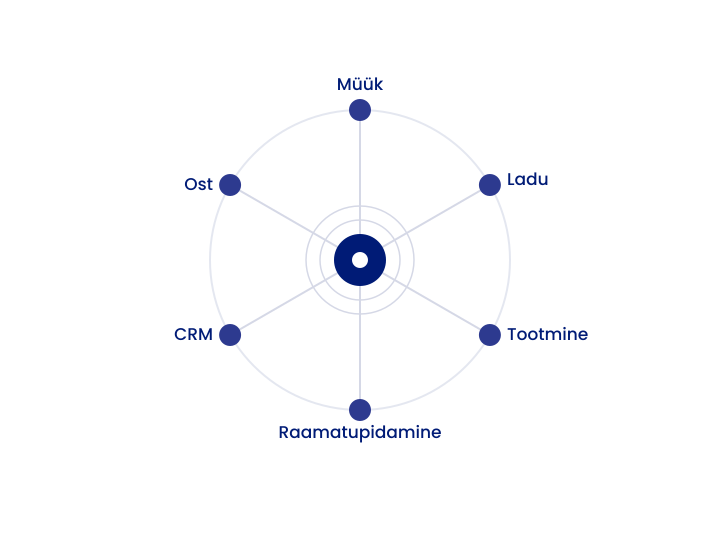
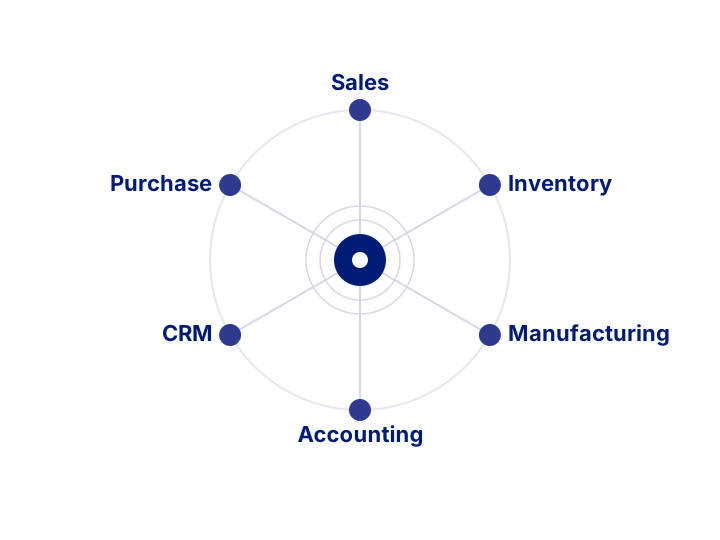
Odoo ühendab kliendihalduse, müügi, ostu, lao, tootmise ja raamatupidamise — ilma eraldi tarkvarade ja käsitsi ülekandmiseta.
Üks süsteem kogu ettevõttele
Odoo ühendab kliendihalduse, müügi, ostu, lao, tootmise ja raamatupidamise — ilma eraldi tarkvarade ja käsitsi ülekandmiseta.
Mis meid eristab?
Neli põhjust, miks kasvavad ettevõtted valivad Digifit Partneri
01
Teaduspõhine metoodika
Juurutame välja töötatud raamistiku alusel, mis seab õiged prioriteedid ka piiratud ressursside juures.
02
Juhtimis- ja IT-kogemus
15 aastat tootmisettevõtete juhtimise ja aastatepikkune Odoo juurutuse kogemus ühe laua taga.
03
Fikseeritud hind
Sa tead projekti maksumust ette. Ei mingit tunnipõhist ebakindlust.
04
Peakasutajateenus
Me ei kao pärast go-live'i — toetame süsteemi ka siis, kui päris töö algab.
Alustame sinu ERP-teekonda
Räägime, kuidas sinu ettevõttele ERP tööle panna — ilma kohustuseta.